Most teams looking for the best cms for bloggers and creators start by comparing editors, themes, pricing pages, and plugin marketplaces.
That is understandable. It is also where the decision usually goes wrong.
A creator does not lose momentum because the publish button is ugly. A content team does not miss a growth target because the font picker is limited. They lose time because ideas sit in drafts, AI output has no review lane, approvals happen in chat, newsletters are copied manually, attribution is unclear, and nobody knows which content actually moved the business.
Teams think the problem is choosing a CMS. The real problem is designing a publishing system.
That changes the conversation. In 2026, the best cms for bloggers and creators is not only where content is written. It is where research becomes drafts, drafts become approved assets, assets become blog posts, newsletters, podcast notes, social snippets, and measurable audience touchpoints. The practical question is not which tool has the most features. It is which workflow lets you publish more without giving up editorial control.
Table of contents
- The best CMS for bloggers and creators is a workflow decision
- Start with your publishing model, not the CMS category
- Compare CMS options by operating model
- The best CMS for bloggers and creators must manage state
- AI content workflows need review lanes, not blind automation
- Distribution is part of the CMS architecture
- Integration requirements that matter in production
- Common failure modes when teams choose badly
- A practical CMS selection workflow
- Where bl0ggers.com fits
The best CMS for bloggers and creators is a workflow decision
The mistake teams make is treating CMS selection like a shopping exercise. They open ten tabs, compare templates, look for SEO fields, ask whether AI writing is included, and pick the tool that feels fastest in a demo.
That works until volume increases.
At low volume, a weak workflow hides behind personal discipline. One creator can remember what needs edits. One marketer can keep a spreadsheet of topics. One founder can paste a post into a newsletter tool after publishing. But once multiple formats, personas, contributors, approvals, or AI-generated drafts enter the system, memory stops scaling.
A useful way to think about it is this: your CMS is not just a content repository. It is a queueing system for editorial decisions.
Why feature checklists mislead teams
Feature checklists reward visible functions. They rarely expose the expensive parts of publishing:
- Who owns the next action?
- What is allowed to publish without review?
- Which AI-generated sections need fact checking?
- Which draft is blocked by legal, brand, SEO, or subject-matter review?
- What content has been distributed, refreshed, syndicated, or retired?
A tool can have an excellent editor and still create operational drag. A tool can have AI generation and still produce a trust problem. A tool can have analytics and still fail to connect performance back to briefs, topics, and editorial decisions.
Practical rule: Do not evaluate a CMS by what it can create. Evaluate it by what it can safely move from idea to published asset.
The real unit is the article lifecycle
The real unit of work is not a post. It is the lifecycle around the post.
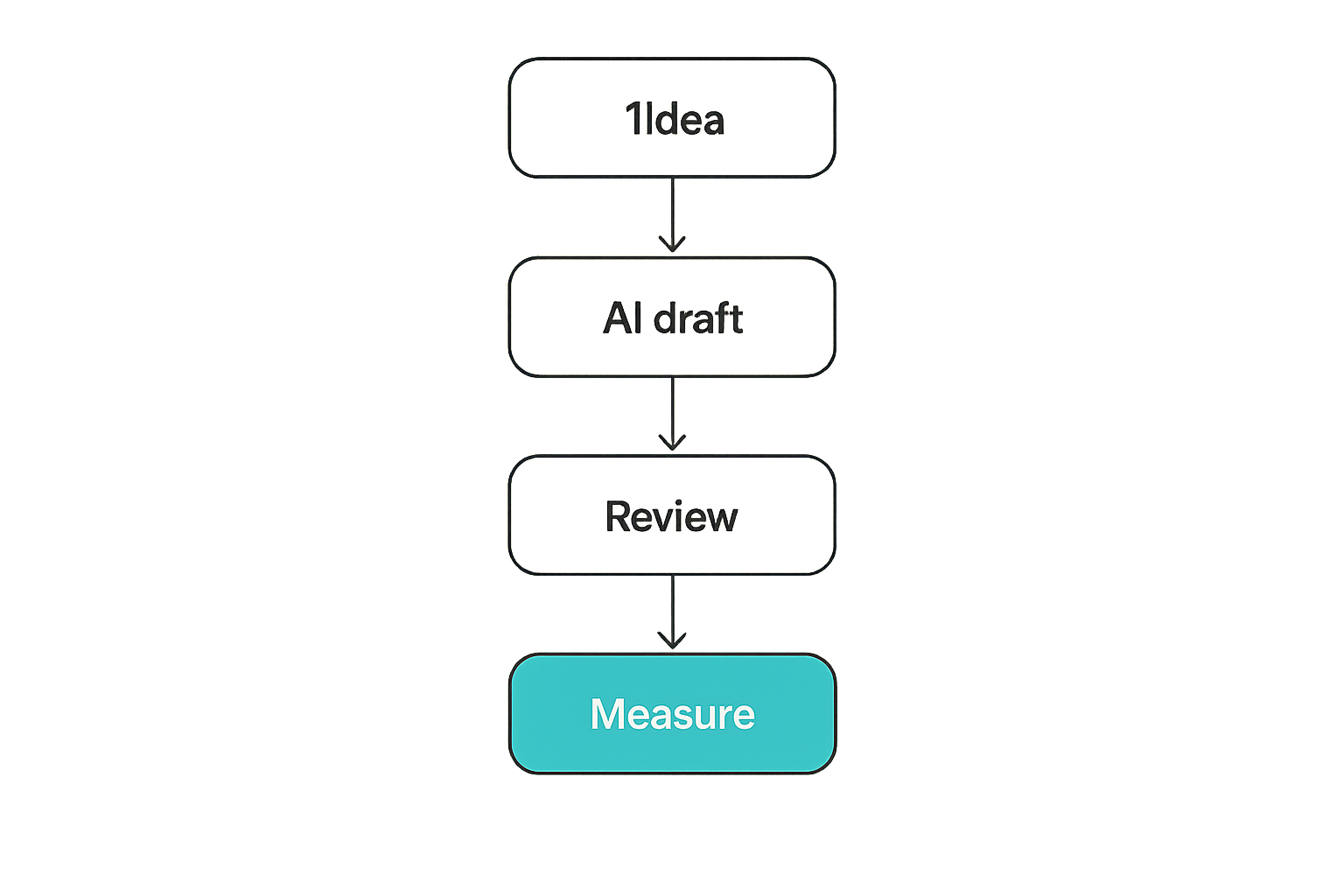
A typical article lifecycle includes:
- Topic intake
- Research collection
- Brief creation
- Draft generation or writing
- Editorial review
- SEO review
- Brand or compliance review
- Publishing
- Newsletter or social distribution
- Measurement and refresh decisions
If your CMS only handles steps 4 and 8, the rest of the workflow will happen in docs, spreadsheets, Slack, email, Notion, or memory. That may be acceptable for a personal blog. It is painful for a serious creator business or content operation.
Where AI changes the CMS requirement
AI raises output capacity. It also increases the need for control.
Without AI, the main constraint is writing time. With AI, the constraint shifts to review, prioritization, factual accuracy, differentiation, and distribution. Many teams generate more drafts than they can responsibly publish. That is not scale. That is inventory.
If you use AI writing assistance, the CMS needs to support human judgment. The adjacent workflow architecture matters more than the model itself, which is why teams often benefit from thinking through AI writing assistance tools as a workflow problem before choosing the publishing layer.
Start with your publishing model, not the CMS category
There is no universal best CMS. There is a best-fit operating model.
The practical question is: what kind of publishing business are you running?
A solo creator, a B2B content team, a media publisher, and a newsletter operator may all publish articles. But they do not have the same bottlenecks. The CMS has to match the shape of the work.
Solo creators need throughput without chaos
Solo creators usually need speed, simple editing, audience capture, monetization options, and low operational overhead.
Their risks are different from enterprise teams. They are less worried about formal approval chains and more worried about losing momentum, overcomplicating the stack, or spending all day formatting instead of creating.
For solo creators, a CMS should make it easy to:
- Capture ideas quickly
- Turn research into structured drafts
- Publish without engineering help
- Send or repurpose content to newsletter channels
- Track which topics attract subscribers, clicks, replies, or sales
What breaks in practice is overbuying. A creator chooses a flexible enterprise CMS, then spends weeks configuring fields, templates, and integrations instead of publishing.
Content teams need ownership and approvals
Content marketers and brand teams need more structure. They usually have multiple contributors, target personas, campaigns, subject-matter experts, editors, and publishing calendars.
For them, the best cms for bloggers and creators is the one that makes ownership obvious. Every asset should have a status, owner, next action, due date, and quality gate.
If those fields are missing, teams create shadow systems. The CMS becomes the final upload step, not the place where production is managed.
Publishers need repeatable production lines
Publishers and media operators need repeatability. They may run multiple sites, personas, newsletter editions, partner content, podcast notes, or subdomain properties.
Their CMS requirements include:
- Multi-property publishing
- Role-based access
- Editorial calendars
- Template consistency
- Bulk production workflows
- Review queues
- Distribution tracking
- Refresh and retirement logic
Related reading from our network: teams that coordinate distributed contributors face similar routing and trust problems in local ecosystems, which is why the operating-system framing in Supreme Community is useful even outside publishing.
Compare CMS options by operating model
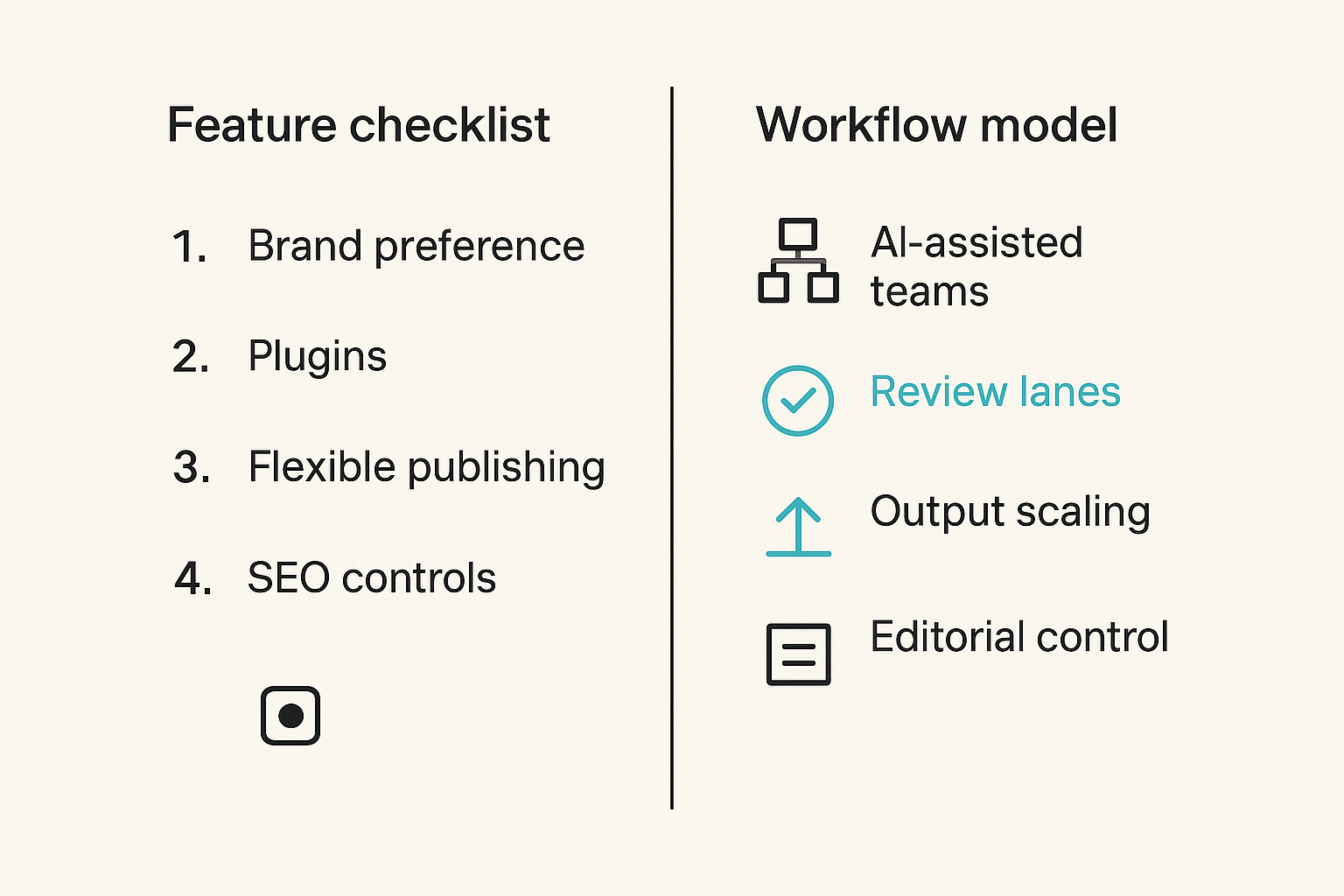
Most CMS debates collapse into brand preference. WordPress versus Ghost. Webflow versus headless CMS. Newsletter platform versus blog platform. AI platform versus traditional editor.
That is the wrong first cut.
Compare systems by operating model instead.
| CMS model | Works best for | Strength | Common failure |
|---|---|---|---|
| Traditional CMS | Blogs, sites, SEO content | Flexible publishing and plugins | Workflow lives outside the CMS |
| Newsletter-first platform | Creator newsletters, paid audience | Fast audience publishing | Weak multi-step editorial control |
| Headless CMS | Engineering-led content products | Omnichannel delivery | Requires technical implementation |
| Docs-to-site workflow | Small teams and founders | Low friction drafting | Poor governance at scale |
| Human-in-the-loop AI publishing | AI-assisted teams and publishers | Review lanes, output scaling, editorial control | Requires workflow discipline |
The mistake teams make is assuming the most flexible platform is automatically the safest choice. Flexibility is useful only if someone owns the architecture.
Traditional CMS platforms
Traditional CMS platforms are strong when the goal is publishing and managing a website. They often offer themes, plugins, permissions, SEO controls, media libraries, and a large ecosystem.
They are still a good choice for many blogs. But teams need to be honest about what happens before content enters the CMS. If ideation, research, drafting, and review live elsewhere, the CMS is not operating the publishing workflow. It is receiving the final artifact.
That can work. It just means your real CMS may be a spreadsheet and chat thread.
Newsletter-first platforms
Newsletter-first platforms solve a different problem: audience relationship and recurring delivery.
They are excellent for creators who think in issues, subscribers, paid access, and inbox engagement. The editor is usually simple. Publishing is direct. Monetization is closer to the content.
The tradeoff is that newsletter platforms can become limiting when you need structured editorial pipelines, multi-format repurposing, SEO-first content hubs, or separate approval lanes.
For creator businesses, this is not an either-or decision. The blog may be the durable search asset. The newsletter may be the relationship channel. The CMS decision needs to define how those two surfaces share source content.
Human-in-the-loop AI publishing platforms
Human-in-the-loop AI publishing platforms start from a different assumption: generation is cheap enough that review and routing become the bottleneck.
That changes the architecture. The platform needs to handle AI-generated drafts, human edits, approvals, publishing destinations, persona consistency, and measurement as one system.
If your team is already using AI for research, outlines, drafts, repurposing, or podcast-to-post workflows, this category is worth evaluating seriously. The point is not to remove editors. The point is to stop forcing editors to manage AI output in disconnected tools.
The best CMS for bloggers and creators must manage state
A CMS that does not manage state will eventually create confusion.
State means the current condition of an asset: proposed, assigned, drafting, AI-generated, needs SME review, needs SEO review, approved, scheduled, published, distributed, refreshed, archived.
That sounds boring. It is not. State is how a publishing team knows what is safe to do next.
Draft status is not enough
Most CMS platforms give you draft, scheduled, and published. That is not enough for modern content operations.
A serious workflow needs states such as:
- Idea submitted
- Brief approved
- Draft generated
- Editor review needed
- SME review needed
- Revisions requested
- SEO pass needed
- Ready to publish
- Published
- Distributed
- Refresh candidate
Without these states, everything becomes ambiguous. A draft may be incomplete, waiting on a quote, factually risky, approved but not scheduled, or published but not distributed. If the CMS only says draft, operators have to inspect the asset manually.
Practical rule: If a teammate cannot tell the next action from the content status, your CMS is not managing the workflow.
Quality gates create editorial control
Quality gates are checkpoints that prevent low-confidence content from moving forward.
For bloggers and creators, useful quality gates include:
- Does the post match the intended audience?
- Is the search intent clear?
- Are claims supportable?
- Has AI-generated text been reviewed by a human?
- Are examples specific enough?
- Is the CTA relevant?
- Are internal links accurate?
- Is the newsletter version adapted, not blindly copied?
Quality gates do not have to create bureaucracy. They create consistency. The goal is not to slow publishing. The goal is to prevent rework, brand drift, and avoidable corrections.
Auditability matters once AI enters the workflow
AI-assisted content creates a simple operational question: who approved this?
If nobody can answer, trust erodes quickly. Editors become skeptical. Founders become nervous. Readers notice generic content. Search performance becomes harder to diagnose because the team cannot distinguish between good AI-assisted production and weak automated output.
A useful CMS should preserve enough history to answer:
- Who generated the first draft?
- Which prompt, brief, or source material shaped it?
- Who edited it?
- Who approved it?
- What changed before publication?
- Where was it distributed?
This is the operational layer behind human-in-the-loop publishing. The architecture is covered in more depth in this guide to human-in-the-loop AI publishing workflow architecture, but the short version is simple: AI should accelerate the queue, not bypass accountability.
AI content workflows need review lanes, not blind automation
AI makes bad workflows faster.
That is the uncomfortable part. If your editorial process is unclear, AI will not fix it. It will generate more material for the same unclear process.
The best cms for bloggers and creators in 2026 should not just offer a button that says generate article. It should support review lanes.
Separate generation from approval
Generation is not approval.
A generated draft is an input. It may be useful, rough, derivative, inaccurate, off-brand, or surprisingly strong. The CMS should not treat it as publishable until the right human has reviewed it.
For many teams, the lane should look like this:
- AI generates research summary, outline, or draft
- Editor checks structure and angle
- Subject-matter reviewer checks accuracy where needed
- SEO or distribution owner checks packaging
- Publisher approves and schedules
This can be lightweight. A solo creator may play all five roles. But the roles still exist.
Route work by risk and intent
Not all content needs the same review depth.
A personal reflection post may need a quick voice pass. A technical comparison may need factual review. A finance, health, legal, security, or product claim may require a stricter lane. A newsletter intro may need brand tone more than SEO structure.
Routing by risk prevents two bad outcomes:
- Over-reviewing low-risk content until velocity dies
- Under-reviewing high-risk content until trust breaks
Practical rule: Review depth should follow content risk, not team hierarchy.
Use AI where it compresses cycle time
AI is most useful when it compresses repetitive or structured work:
- Turning a rough idea into a brief
- Summarizing source material
- Producing outline variants
- Drafting first-pass sections
- Creating meta descriptions and excerpts
- Repurposing a post into newsletter or social snippets
- Suggesting refresh opportunities
What fails is using AI as a substitute for positioning. AI can produce words. It cannot decide why your audience should care, what your point of view is, or which tradeoff your business is willing to own.
Related reading from our network: independent operators choosing platforms face similar fit-versus-feature decisions, and this guide to Upwork alternatives for freelancers is a useful adjacent example of evaluating tools by workflow rather than brand familiarity.
Distribution is part of the CMS architecture
Publishing is not finished when the article is live.
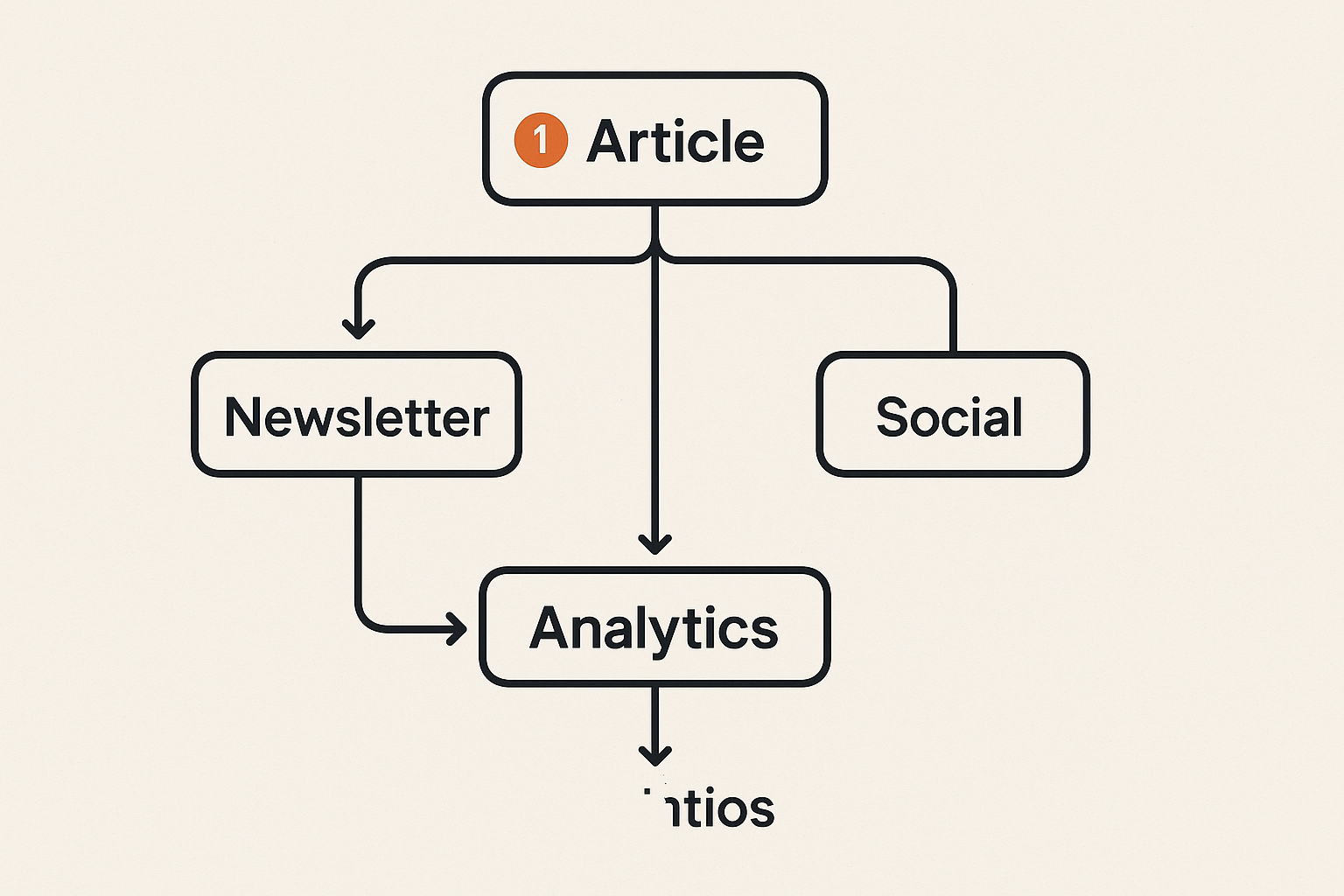
For bloggers and creators, distribution is where a lot of value is either captured or wasted. A post can become a newsletter, a podcast outline, a LinkedIn thread, a short-form script, a lead magnet, a sales enablement asset, or a refreshed evergreen page.
If the CMS does not account for distribution, the team will rely on manual follow-up. Manual follow-up fails when volume increases.
Your blog is only one output surface
A blog is usually the canonical long-form asset. But it is rarely the only surface.
Modern creator and publishing teams often need:
- Public blog posts
- Newsletter editions
- Podcast show notes
- Creator landing pages
- Social snippets
- Community posts
- Partner summaries
- Internal sales notes
- Refresh briefs
A good CMS should either support these outputs directly or integrate cleanly with the systems that do.
Newsletters need canonical content and clean handoff
Newsletter operators often write directly in the newsletter platform. That is fine for pure newsletter businesses. It becomes messy when the same idea also needs to live as an SEO asset, a gated resource, a podcast companion, or a partner post.
The practical pattern is to define a canonical source:
- The article contains the durable argument
- The newsletter adapts the argument for inbox reading
- The social posts extract hooks and claims
- The podcast notes expand or summarize the discussion
The CMS should preserve the relationship between these outputs. Otherwise, updates become fragmented. A claim changes in the blog but remains wrong in the newsletter. A CTA changes on the site but not in the repurposed version.
Repurposing should be workflow-driven
Repurposing is often treated as a creative afterthought. In production, it should be a workflow step.
A useful distribution workflow might be:
- Publish canonical article
- Generate newsletter adaptation
- Review adaptation for tone and length
- Generate social snippets from approved article
- Schedule or export distribution assets
- Track performance by channel
The key is that repurposing should happen from approved content, not from unreviewed drafts. Otherwise the team multiplies errors across channels.
Integration requirements that matter in production
Integrations sound tactical until they break. Then they become the whole problem.
A CMS for bloggers and creators does not need every integration. It needs the right integration boundaries: where content enters, where it exits, who approves it, and how results come back.
Webhooks and APIs beat manual copy-paste
Manual copy-paste is acceptable at tiny scale. It becomes an error source at production scale.
Look for CMS capabilities that support:
- Webhook events for status changes
- API access for creating or updating drafts
- Export paths for newsletters and social tools
- Metadata synchronization
- Programmatic publishing or scheduling where appropriate
- Failure logging for automation jobs
This is especially important for AI-assisted workflows. If research, generation, review, and publishing are split across tools, clean integration prevents the workflow from becoming a fragile chain of browser tabs.
For a technical analogy from a different domain, decentralized compute teams care about routing, validation, and operational boundaries in much the same way; related reading from our network: IaaS in cloud computing.
Permissions prevent accidental publishing
Permissions are not just enterprise overhead. They protect the publishing system.
At minimum, teams should distinguish:
- Draft contributors
- Editors
- Reviewers
- Publishers
- Admins
A creator business may not need complex role management on day one. But if assistants, freelancers, sponsors, agencies, or AI workflows enter the process, permission boundaries matter.
The failure mode is simple: someone publishes the wrong version, updates the wrong post, deletes metadata, or sends a newsletter before final approval.
Analytics must close the loop
Analytics are often treated as a dashboard problem. The better question is whether performance data changes future editorial decisions.
A useful CMS or publishing workflow should connect performance to:
- Topic clusters
- Authors or personas
- Content formats
- Distribution channels
- Calls to action
- Refresh schedules
- AI-assisted versus human-written workflow paths
If analytics live completely outside the editorial workflow, teams review numbers occasionally but do not change the production system. Measurement has to feed prioritization.
Common failure modes when teams choose badly
Bad CMS decisions rarely fail immediately. They fail slowly.
At first, the new tool feels cleaner. Then drafts accumulate. Reviewers lose context. AI output becomes uneven. Distribution becomes inconsistent. The team adds spreadsheets. Then another tool. Then another approval chat.
The CMS did not fail because it lacked a feature. It failed because it did not fit the operating model.
The content graveyard
The content graveyard is where ideas and drafts go when nobody owns the next step.
Symptoms include:
- Dozens of unfinished drafts
- No clear reason why each draft exists
- Briefs without target search intent
- AI-generated posts waiting for review
- Articles published once and never refreshed
- Content that never reaches newsletter or social channels
The fix is state management and ownership. Every item needs a next action or it should be archived.
The approval bottleneck
The approval bottleneck happens when every asset waits for the same person.
This is common in founder-led content teams. The founder wants quality control, but the system gives them every decision. Eventually, publishing slows and the team starts bypassing the process.
What works is tiered review:
- Low-risk posts get editorial review only
- Medium-risk posts get editor plus owner review
- High-risk posts get SME or founder approval
- Promotional or sensitive posts get stricter gates
What fails is pretending every post has the same risk profile.
The AI trust collapse
The AI trust collapse happens when a team publishes too much weak AI-assisted content and loses confidence in the whole system.
The cause is usually not AI alone. It is missing editorial architecture.
Common triggers include:
- Generic introductions
- Unsupported claims
- Repeated examples
- Misaligned tone
- Inaccurate comparisons
- Internal links added without context
- Publishing without human review
The fix is not banning AI. The fix is using AI in the right lanes, with human approval at the right points.
A practical CMS selection workflow
Choosing the best cms for bloggers and creators should look less like software browsing and more like process design.
Before buying anything, map how content actually moves today. Not how the team says it moves. How it really moves.
Map the real publishing path
Start with one recently published article and trace it backward.
Ask:
- Where did the idea come from?
- Who approved the topic?
- Where was research stored?
- Who created the brief?
- Was AI used?
- Who edited the draft?
- Who approved publication?
- Was it adapted for newsletter or social?
- How was performance measured?
- Was the learning used anywhere?
Then map the ideal path. The gap between the two is your CMS requirement.
Score the bottlenecks
Score each part of the workflow from 1 to 5:
| Workflow area | Question | Score signal |
|---|---|---|
| Intake | Are ideas captured and prioritized? | Low score means scattered ideas |
| Drafting | Can drafts be created predictably? | Low score means inconsistent output |
| Review | Is ownership clear? | Low score means bottlenecks |
| Publishing | Is scheduling controlled? | Low score means last-minute work |
| Distribution | Are channels handled cleanly? | Low score means missed reach |
| Measurement | Do results affect planning? | Low score means no learning loop |
The CMS should improve the weakest high-value bottlenecks. Do not buy a system because it is strong in an area that is not your constraint.
Pilot with operational metrics
Run a real pilot before migrating the whole operation.
Use five to ten real content assets. Include at least one AI-assisted draft, one newsletter adaptation, one SEO article, and one content refresh if those are part of your business.
Measure:
- Time from idea to approved brief
- Time from draft to publication
- Number of review handoffs
- Number of revision cycles
- Percentage of assets distributed beyond the blog
- Number of manual copy-paste steps
- Editorial satisfaction with final quality
The practical question is not whether the CMS looks good. It is whether the CMS reduces operational drag without reducing editorial confidence.
Where bl0ggers.com fits
The best cms for bloggers and creators in 2026 is the one that matches the way content is actually produced now: AI-assisted, multi-format, review-sensitive, and distribution-aware.
That does not mean every team needs a heavy system. It means the publishing layer should respect the workflow. If AI helps create more drafts, the CMS needs lanes for human review. If content becomes newsletters, podcasts, and subdomain properties, the CMS needs clean handoffs. If quality matters, approvals cannot live only in someone’s memory.
Built around human-in-the-loop publishing
bl0ggers.com is built for content teams, creators, and publishers who want to use AI to increase output without giving up editorial control.
The product fit is architectural: AI-generated research and drafts are useful only when they flow through review queues, persona-aware publishing paths, optional human approval, and distribution workflows. That is the difference between producing more content and operating a publishing system.
If your current process is a patchwork of AI tools, docs, newsletter editors, and manual CMS uploads, a platform like bl0ggers.com can act as the workflow layer between generation, review, and publishing.
A fit for creators and content teams
bl0ggers.com is most relevant when:
- You publish regularly across blogs, newsletters, or podcasts
- You want AI assistance but not unchecked automation
- You need review lanes before publishing
- You manage multiple personas, sites, or content properties
- You care about output volume and editorial control
- You want a cleaner bridge between research, drafts, approvals, and distribution
It is probably not the right fit if you only need a static personal website, a simple portfolio, or a one-post-per-quarter hobby blog. In those cases, a lightweight traditional CMS may be enough.
But if publishing is becoming a production system, the CMS decision should reflect that. The closing test is simple: the best cms for bloggers and creators should help you publish more of the right content with fewer hidden handoffs, not just give you another place to type.
Try bl0ggers.com
bl0ggers.com is for content teams, creators, and publishers who want to use AI to increase output without giving up editorial control.