
Most teams do not break their content operation because AI writes a bad paragraph. They break it because nobody knows what state an article is in, who approved it, which version went live, or why a post was published to the wrong channel.
An automated blog posting platform sounds like a production shortcut. Generate the draft, push it to the CMS, and move on. That is the pitch. In production, the shortcut becomes a liability if the platform cannot handle review lanes, quality gates, retries, approvals, distribution rules, and measurement.
Teams think the problem is content generation. The real problem is publishing control.
That changes the conversation. The practical question is not whether AI can create more drafts. It can. The practical question is whether your publishing system can absorb more drafts without flooding editors, confusing creators, weakening brand standards, or creating support work after publication.
Table of contents
- Why automated blog posting platform projects fail
- An automated blog posting platform is a workflow system
- Design the content intake layer
- Build quality gates before publishing automation
- Review lanes keep editors from becoming bottlenecks
- Publishing integrations need idempotency and rollback
- Distribution is not the same as posting
- Measurement closes the publishing loop
- Choose an automated blog posting platform by failure mode
- How bl0ggers.com fits this workflow
Why automated blog posting platform projects fail
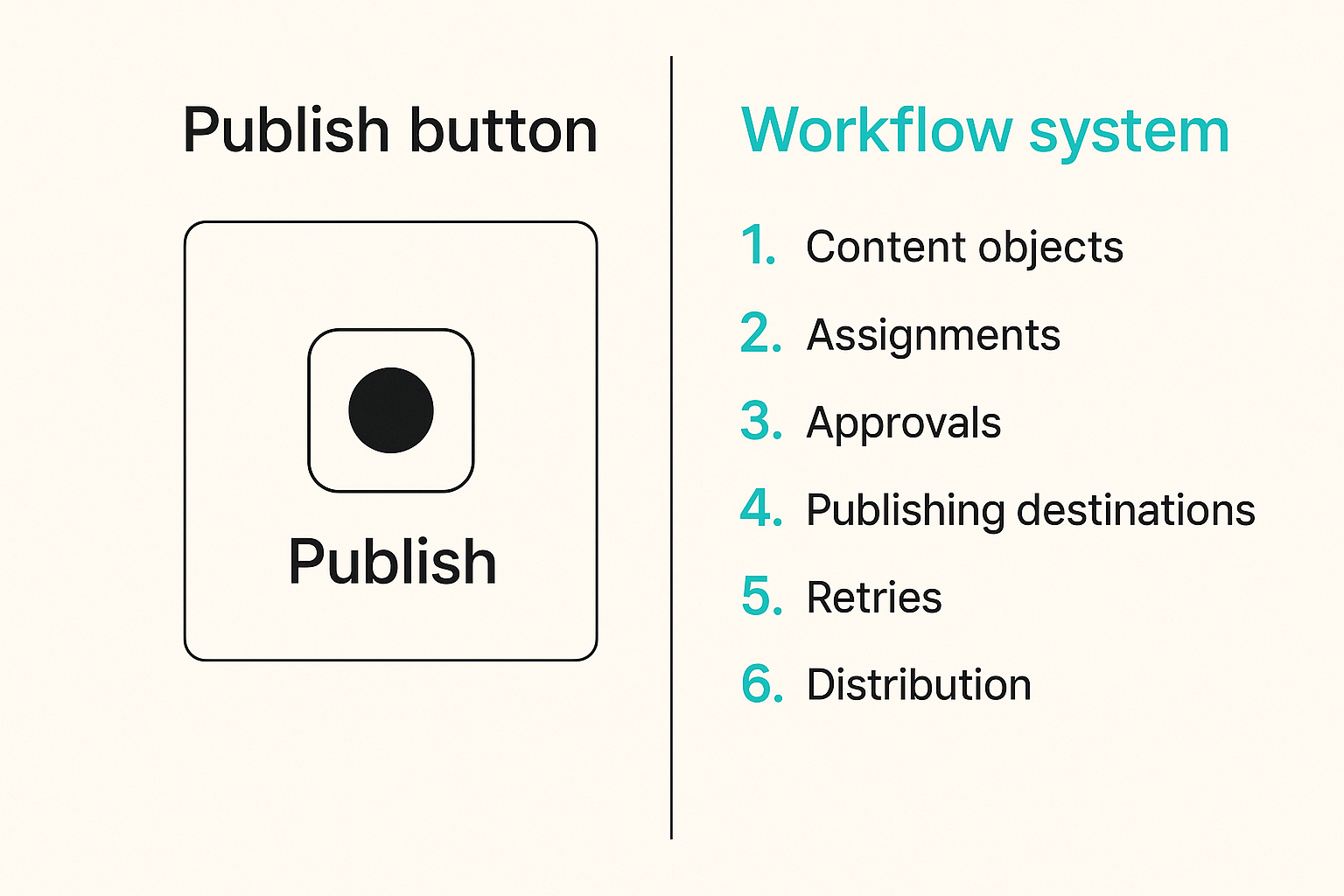
The mistake teams make is treating automated publishing as a button. Push the button, publish the post. That works for demos. It does not work for a content team with multiple brands, authors, newsletters, SEO targets, sponsor constraints, compliance reviews, and different publishing calendars.
A useful way to think about it is simple: the more content you produce, the more important the operating system becomes. Draft volume exposes weak workflows. It does not fix them.
The UI is not the platform
A nice editor, prompt box, or calendar view is not enough. Those are surfaces. The platform is the machinery underneath:
- Content objects and versions
- Briefs, assignments, and ownership
- Review status and approval history
- Publishing destinations and credentials
- Webhooks, retries, and failure handling
- Distribution rules by channel
- Metrics tied back to the original intent
If the system cannot tell you what happened to a post between draft and publication, the automation is incomplete.
Publishing state is the hard part
Most teams can get from idea to draft. The messy part starts after that.
An article may be generated, partially edited, sent to legal, returned to the writer, updated for SEO, approved by the editor, scheduled for WordPress, repurposed into a newsletter, and then revised after publication. If your automated blog posting platform only has two states, draft and published, it will force humans to track the real workflow in Slack, spreadsheets, and memory.
That is where mistakes compound.
Practical rule: If the real status of an article lives outside the platform, your automation is not the source of truth.
Why 2026 raised the bar
In 2026, content teams are not asking whether AI can help with production. They are asking how to use it without losing editorial control. Publishers want more throughput, but they also want clean approvals, consistent voice, reliable attribution, channel-specific formatting, and defensible records of what went live.
Related reading from our network: teams dealing with autonomous execution in cloud workflows face similar control problems around queues and validation in AI agents cloud computing.
The practical question is not how fast the system can publish. It is how safely it can publish at scale.
An automated blog posting platform is a workflow system
An automated blog posting platform should be designed like a workflow engine with publishing outputs, not like a writing tool with a publish button. This distinction matters because workflow systems preserve context. Writing tools usually do not.
The core objects you need to model
At minimum, your platform should model these objects separately:
- Idea: the raw opportunity or topic
- Brief: the approved assignment and intent
- Draft: generated or human-written content
- Review: comments, decisions, required changes
- Version: the content snapshot at each major step
- Approval: who accepted the work and when
- Publication: where and when the content went live
- Distribution asset: newsletter, social, podcast notes, or excerpts
- Measurement record: performance and operational outcomes
When teams collapse these into one blob of text, everything becomes harder. You cannot compare briefs to outcomes. You cannot audit approvals. You cannot tell whether weak performance came from the topic, the draft, the editor, the channel, or the distribution timing.
The minimum viable state machine
You do not need an enterprise workflow suite to start. You do need a clear state machine.
A practical sequence looks like this:
- Idea captured
- Brief approved
- Draft generated
- Automated checks passed
- Human review assigned
- Revision requested or approved
- Scheduled to CMS
- Published and verified
- Distributed to secondary channels
- Measured and archived
Each state should have an owner, allowed transitions, and failure behavior. For example, a draft should not jump from generated to published unless the workflow explicitly allows low-risk autopublishing.
Where humans belong in the loop
Human review is not a moral decoration. It is an operational control. The question is where to place it.
For many teams, the right pattern is risk-based review:
- Low-risk evergreen posts get lightweight editorial review.
- Brand-sensitive posts get senior editor approval.
- Regulated or sponsor-related posts get additional review.
- High-performing posts that will be updated get post-publication checks.
If your team is still defining its control model, the prior guide on human in the loop AI publishing workflow architecture goes deeper on review routing, quality gates, and editorial ownership.
Practical rule: Put humans where judgment changes the outcome, not where a checklist can do the job.
Design the content intake layer
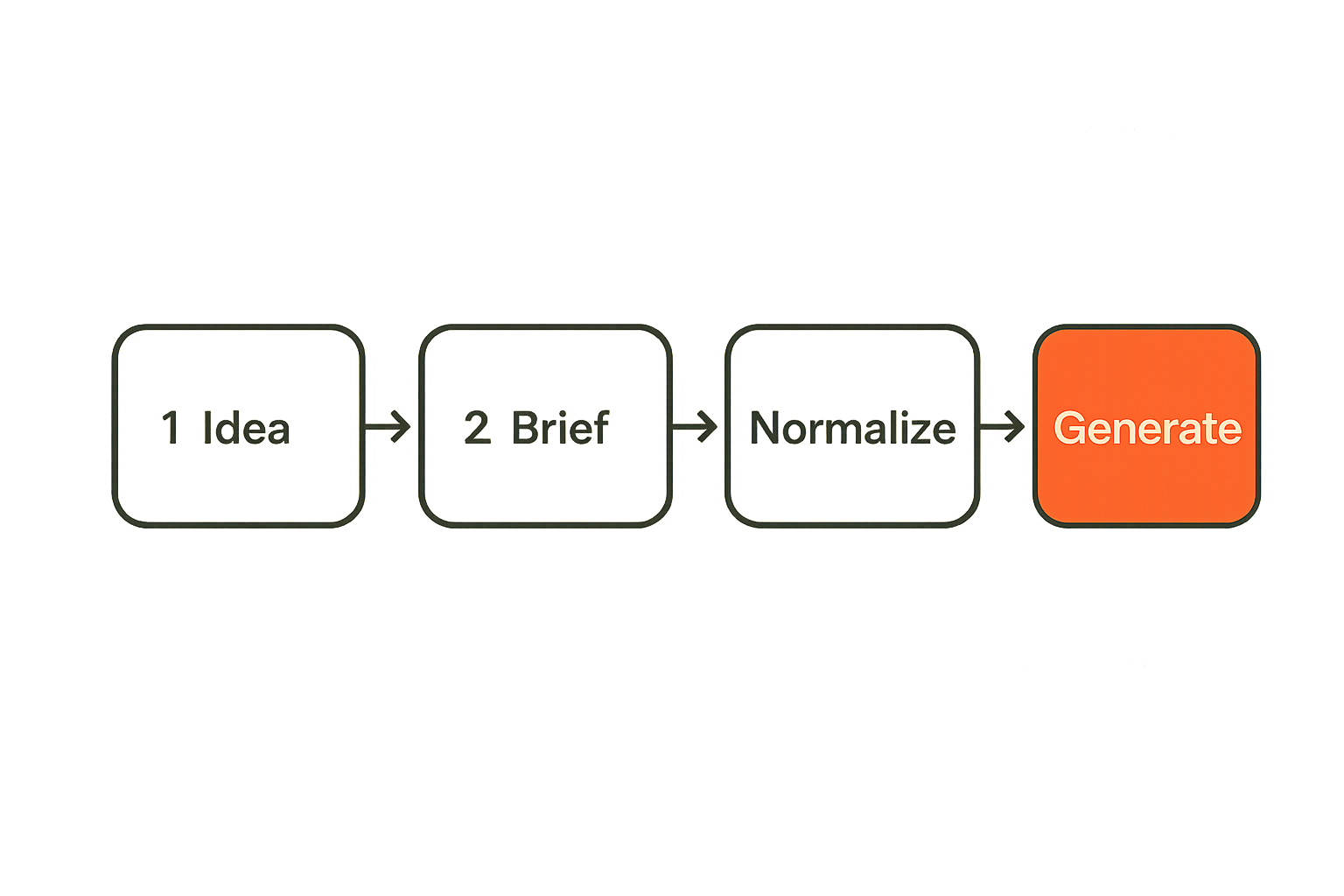
Bad intake creates bad automation. If the platform starts with vague topics, unclear audiences, weak keyword intent, or missing source material, the rest of the workflow becomes cleanup.
What breaks in practice is that teams automate draft creation before they standardize assignment creation.
Separate ideas from assignments
An idea is not an assignment. This sounds obvious until a team pumps 200 keyword suggestions into a generator and calls it a content calendar.
Ideas are candidates. Assignments are commitments. The platform should support that distinction.
An idea might include:
- Topic seed
- Audience segment
- Search intent hypothesis
- Source links
- Product relevance
- Priority score
An assignment should include:
- Approved angle
- Target reader
- Required sections
- Internal links to include
- Claims to avoid
- Review lane
- Publishing destination
- Due date or schedule window
The difference matters because automation should not treat every idea as ready to publish.
Use briefs as contracts
A brief is the contract between strategy and production. It tells the system what good looks like before generation starts.
A useful brief includes:
- Primary keyword and semantic variations
- Reader pain point
- Point of view
- Required examples
- Product connection
- Internal link requirements
- External reference rules
- Format requirements
- Approval path
Without that contract, editors become the quality system. That does not scale.
Normalize inputs before generation
Your platform should normalize inputs before the AI model touches them. That means cleaning source notes, deduplicating URLs, resolving brand names, validating required fields, and rejecting incomplete assignments.
This is not glamorous work. It is the difference between a workflow that runs cleanly and one that creates a pile of drafts nobody trusts.
Related reading from our network: the same routing and trust issue appears in local agent networks, where unclear asks create downstream coordination failures in AI agents asks and offers.
Build quality gates before publishing automation
Quality gates are the controls that stop weak content before it reaches a reviewer, a CMS, or an audience. They are not a replacement for editors. They protect editors from doing machine-checkable work all day.
What works
Quality gates work when they are specific, testable, and connected to workflow state.
Examples:
- Required sections are present.
- Primary keyword appears in the title and introduction.
- Internal links are included exactly once.
- Forbidden claims are not present.
- Metadata fields are complete.
- Reading level is within the expected range.
- The article has a clear product-fit section.
- The draft does not include placeholder text.
- The CMS payload validates before scheduling.
A gate should produce a decision: pass, fail, or send to manual review. It should not just produce a vague score.
What fails
What fails is generic scoring. A platform that says a draft is 87 percent good has not told your editor anything useful.
Teams also fail when they add too many gates too early. The goal is not to build a bureaucratic maze. The goal is to prevent known bad outputs from consuming human attention or reaching production.
Practical rule: A quality gate should either block, route, or annotate. If it only decorates the workflow, remove it.
A practical quality gate config
A simple configuration can be enough to start:
content_type: seo_blog_post
required_fields:
  - title
  - slug
  - meta_description
  - excerpt
  - target_reader
  - review_lane
checks:
  keyword:
    primary_required_in:
      - title
      - intro
      - h2
  links:
    internal_exact_count: 3
    external_partner_exact_count: 3
  editorial:
    banned_phrases:
      - as an ai language model
      - in conclusion
    require_practical_rule: true
  publishing:
    validate_slug: true
    require_featured_image_prompt: true
failure_action: return_to_draft
This is not about YAML specifically. The point is that your rules should be explicit enough for humans and systems to understand.
Review lanes keep editors from becoming bottlenecks
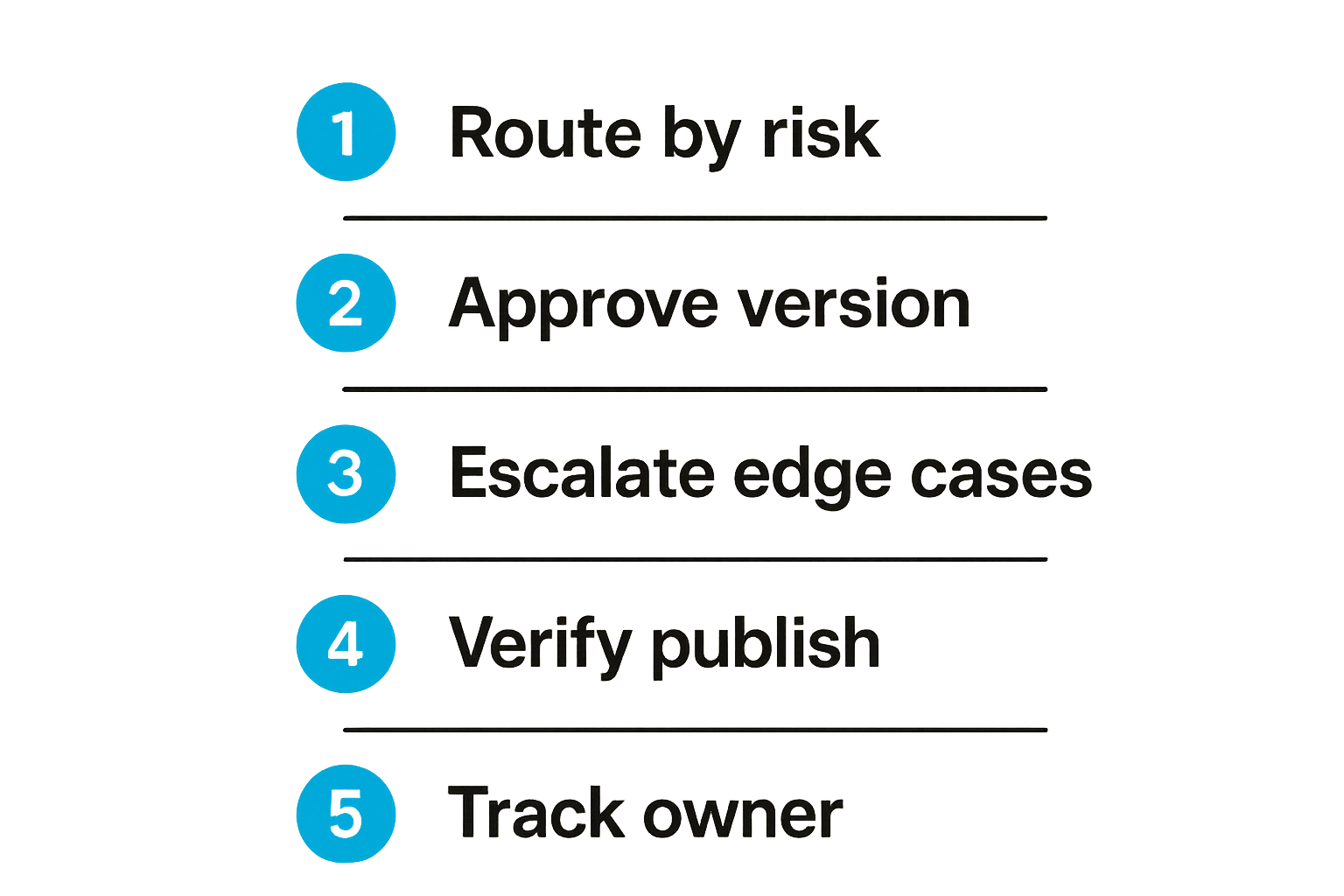
If every article needs the same editor, your automated blog posting platform will create a queue, not a publishing engine. Review lanes solve that by routing work based on risk, topic, brand, and required judgment.
Route by risk not volume
A high-volume content operation needs different review paths.
Common lanes include:
- Fast lane: low-risk evergreen content with known structure
- Standard lane: normal SEO or newsletter content
- Expert lane: technical, legal, financial, medical, or security-sensitive work
- Brand lane: founder voice, executive commentary, sponsor content
- Update lane: refreshes to already-published articles
The routing logic matters more than the label. A low-risk post should not wait behind a sensitive announcement. A high-risk post should not be autopublished because the calendar is full.
Make approvals explicit
Approval should be a real event in the system. It should include:
- Approver name or role
- Timestamp
- Version approved
- Required changes, if any
- Destination approved for publishing
- Expiration or re-review condition, when needed
This is where many content systems are weak. The editor says approved in a comment thread, the operator schedules the wrong version, and nobody notices until the newsletter goes out.
Explicit approval records prevent that.
Use escalation rules for edge cases
Escalation rules keep weird cases from becoming silent failures. For example:
- If a draft fails the same quality gate twice, send it to a senior editor.
- If a source URL is unavailable, block publication.
- If a post mentions a competitor, route to brand review.
- If a scheduled publish fails, notify the owner and retry once.
- If a post is modified after approval, require re-approval.
Related reading from our network: security teams see a similar pattern with autonomous workflows, where weak permissions and missing escalation paths become supply chain problems in AI agents GitHub Actions security.
Publishing integrations need idempotency and rollback
Connecting an automated blog posting platform to a CMS is not just an API task. It is a state management task.
The mistake teams make is assuming that a successful API call means the post is published correctly. In practice, CMS integrations fail in partial ways. A post may be created without metadata. A slug may collide. An image may fail. A scheduled time may be interpreted in the wrong timezone. A retry may create duplicates.
CMS posting is a state transition
Treat CMS publishing as a state transition with verification.
The workflow should be:
- Prepare publish payload.
- Validate required CMS fields.
- Send create or update request.
- Store external CMS ID.
- Fetch the post back from the CMS.
- Verify slug, status, metadata, canonical URL, and publish time.
- Mark the platform record as published only after verification.
That last step matters. Do not let the platform declare success because it sent a request. Declare success when the destination confirms the expected state.
Retries without duplicates
Retries are necessary. Duplicate posts are not.
Use idempotency keys or deterministic external references when posting to a CMS. The platform should know whether it is creating a new post, updating an existing draft, or retrying a failed publish attempt.
A simple rule:
- One platform article ID maps to one CMS post ID per destination.
- Retries use the same mapping.
- If the CMS ID exists, update or verify instead of creating again.
- If the CMS ID is missing after a failed attempt, search by idempotency key or slug before creating.
This is operationally boring. It is also exactly what prevents duplicate posts from showing up on a customer-facing site.
Rollback is an editorial feature
Rollback is not only for engineers. Editors need it too.
If a post goes live with the wrong sponsor note, outdated claim, broken layout, or incorrect canonical URL, the team needs a controlled way to unpublish, revert, or replace it. The platform should preserve the previous approved version and the published version.
Rollback should answer:
- What version is live now?
- What version was approved?
- What changed after approval?
- Who made the change?
- Can we restore the previous version safely?
Without this, your incident response is screenshots and panic.
Distribution is not the same as posting
Posting to the blog is only one destination. Most creators and publishers also distribute through newsletters, social posts, RSS, communities, podcasts, syndication partners, and sometimes paid campaigns.
An automated blog posting platform should understand that distribution is a separate workflow layer.
Map channels to intent
Each channel has a different job.
| Channel | Primary job | Common mistake | Better platform behavior |
|---|---|---|---|
| Blog | Durable search and owned content | Publish without measuring intent | Tie post to brief and keyword |
| Newsletter | Relationship and repeat attention | Send generic excerpt | Generate channel-specific intro |
| Social | Discovery and conversation | Blast same copy everywhere | Adapt hook by network |
| Podcast notes | Support audio content | Treat notes as afterthought | Create structured companion post |
| Syndication | Reach and partnerships | Lose canonical control | Track source and canonical URL |
A post can feed all of these, but the assets should not be identical. The platform should create channel-specific derivatives that remain connected to the original article.
Schedule with dependencies
Distribution schedules should respect dependencies.
For example:
- Blog post publishes and verifies.
- Sitemap or RSS updates.
- Newsletter draft is generated from the final URL.
- Social posts use the canonical URL.
- Partner or community posts are queued.
- Performance tracking starts.
If the newsletter sends before the article URL is verified, the team may ship a broken link. If social posts go out before the title is final, the messaging fragments. These are small failures, but they create avoidable support work.
Track what was actually sent
The platform should record not only what it planned to send, but what it actually sent.
Track:
- Destination
- Payload or rendered copy
- Send time
- External ID
- Status
- Failure reason
- Retry history
- Owner
This matters when a newsletter operator asks why the wrong excerpt went out or a publisher needs to know whether a partner channel received the updated version.
Measurement closes the publishing loop
Automation without measurement just helps you make the same mistakes faster. The goal is not only to publish more. The goal is to learn which briefs, workflows, formats, review lanes, and channels produce useful outcomes.
Measure operations first
Before arguing about content performance, measure the operation.
Useful operational metrics include:
- Ideas accepted versus rejected
- Drafts generated per week
- Drafts blocked by quality gates
- Average review time by lane
- Revision cycles per post
- Publish failure rate
- Duplicate or rollback events
- Distribution completion rate
- Time from brief approval to publication
These metrics expose the system. If review time is high, the bottleneck may be unclear briefs, not slow editors. If many posts fail CMS validation, the issue may be integration mapping, not content quality.
Tie performance back to briefs
Content performance should connect back to the original brief. Otherwise, learning becomes anecdotal.
Track outcomes against:
- Search intent
- Target reader
- topic cluster
- Content type
- Author or persona
- Review lane
- Distribution channels
- Internal links used
- Publication date
This allows a publisher to ask better questions. Did product-led posts outperform generic SEO posts? Did expert-lane posts take longer but convert better? Did newsletter-first topics create more repeat visits?
That changes the conversation from more content to better operating decisions.
Do not let dashboards hide workflow problems
Dashboards can become theater. A chart showing traffic growth does not tell you whether the content operation is healthy. A chart showing low traffic does not tell you which part of the workflow failed.
Use dashboards to trigger investigation, not replace it.
For example, if a post underperforms, the workflow record should show the brief, draft versions, review comments, distribution events, and channel metrics. Without that context, the team guesses.
Choose an automated blog posting platform by failure mode
Choosing an automated blog posting platform is easier when you ask what happens when things go wrong. Every platform looks useful when the happy path is generate, approve, publish. The real test is the unhappy path.
Questions to ask vendors or your own team
Ask these questions before you commit:
- Can the platform separate ideas, briefs, drafts, approvals, and publications?
- Can we define review lanes by risk?
- Can quality gates block or route content?
- Can humans approve specific versions?
- Can the system publish to multiple destinations without duplicate posts?
- Can it verify the CMS state after posting?
- Can it handle retries, failures, and rollback?
- Can it generate channel-specific distribution assets?
- Can it record what was published, where, and when?
- Can it connect performance back to the brief?
If the answer is mostly no, you may be buying a generation tool rather than a publishing platform.
Comparison table for platform architecture
| Capability | Basic AI writing tool | Weak automation stack | Strong automated blog posting platform |
|---|---|---|---|
| Intake | Prompt box | Spreadsheet import | Structured ideas and briefs |
| Review | Manual comments | Single approval step | Risk-based review lanes |
| Quality control | Generic score | Human cleanup | Testable quality gates |
| Publishing | Copy and paste | CMS API push | Verified state transition |
| Retry behavior | None | Possible duplicates | Idempotent retries |
| Versioning | Document history | Partial CMS history | Version tied to approvals |
| Distribution | Manual repurposing | Basic social snippets | Channel-specific assets |
| Measurement | Traffic dashboard | Campaign reports | Brief-to-outcome feedback |
| Failure handling | Human memory | Slack escalation | Recorded errors and owners |
The point is not that every team needs the most complex system on day one. The point is that the architecture should not trap you when volume increases.
When to build versus buy
Build if publishing workflow is a core differentiator and you have engineering capacity to maintain integrations, state, retries, permissions, and analytics. Buy if your advantage is editorial strategy, audience knowledge, and distribution, not infrastructure.
Many teams land in the middle. They buy the workflow layer, then connect it to their CMS, analytics, newsletter platform, and internal approval process.
The important part is to avoid accidental infrastructure. A few scripts, a few prompts, and a few CMS API calls can become a fragile internal platform faster than expected.
How bl0ggers.com fits this workflow
bl0ggers.com is built for content teams, creators, and publishers who want to use AI to increase output without giving up editorial control. That means the product fit is not just generate more articles. The fit is workflow: persona-led publishing, review queues, generated article integrations, newsletter and podcast workflows, subdomain publishing, and webhook-based automation.
Designed for human in the loop publishing
The useful role for a platform like this is to sit between raw AI generation and public distribution. It helps teams keep humans in the right control points instead of forcing editors to manually supervise every repetitive step.
If you want the broader product context, the bl0ggers.com platform overview explains the focus on human-in-the-loop AI publishing for blogs, podcasts, newsletters, and subdomain media networks.
Where it belongs in your stack
A practical stack looks like this:
- Strategy and topic intake define what should exist.
- bl0ggers.com helps generate and structure content assets.
- Review lanes apply editorial control.
- Approved content moves to blog, newsletter, podcast, or subdomain destinations.
- Webhooks and integrations notify downstream systems.
- Measurement informs the next brief.
This is the right mental model. Not AI replacing editors. Not a CMS pretending to be a workflow engine. A publishing workflow where automation handles repeatable movement and humans handle judgment.
Try bl0ggers.com
bl0ggers.com is for content teams, creators, and publishers who want to use AI to increase output without giving up editorial control. If you are building an automated blog posting platform workflow around review lanes, quality gates, approvals, and distribution, Try bl0ggers.com.