
Blog content automation sounds simple until the first bad article goes live under your brand.
A model can generate a draft in seconds. That is not the hard part anymore. The hard part is deciding who owns the brief, which sources are allowed, what gets reviewed, when an article is safe to publish, how it is distributed, and how the team knows whether the system is producing useful work or just more pages.
Teams think the problem is writing faster. The real problem is building a publishing workflow that can absorb AI output without losing editorial judgment, brand trust, or operational visibility.
That changes the conversation. Blog content automation is not a prompt library. It is a production system. If you treat it like a shortcut, you get draft volume and cleanup debt. If you treat it like architecture, you get repeatable publishing capacity.
Table of contents
- What blog content automation is really automating
- Build the workflow map before you buy tools
- Separate generation from editorial control
- Design quality gates that catch expensive mistakes
- Automate publishing operations, not just drafts
- What works in blog content automation
- What fails when teams automate badly
- Metrics that tell you if automation is helping
- Implementation sequence for a reliable content automation system
- Where bl0ggers.com fits
What blog content automation is really automating
The UI is not the publishing system
Most teams start with the visible part: generate a draft, paste it into a CMS, ask an editor to clean it up, publish when ready. That is fine for experiments. It breaks when the team wants dependable output every week.
The mistake teams make is confusing the writing interface with the publishing system. A chat window can produce text. It cannot, by itself, enforce source policy, route review, maintain version history, schedule distribution, notify owners, or report which workflow stage is slowing down output.
The practical question is not whether AI can write a blog post. It can. The practical question is whether your operation can turn generated material into approved, useful, measurable publishing without creating a shadow process in spreadsheets and DMs.
The unit of automation is a content job
A useful way to think about it is this: automation should move a content job through states.
A content job is not just a prompt. It includes:
- Topic or keyword intent
- Audience and persona
- Content type
- Source requirements
- Brand constraints
- Draft generation status
- Review owner
- Approval status
- Publishing destination
- Distribution tasks
- Performance measurement
Once you define the job, automation has something stable to operate on. Without that object, every article becomes a one-off exception.
Why 2026 changed the operating model
By 2026, the basic capability gap has narrowed. Many tools can draft, summarize, repurpose, and optimize. The advantage is no longer access to AI generation. The advantage is operational discipline.
Publishers and creators now need systems that support volume, review, and trust at the same time. Newsletter operators want to turn research into posts and email issues. Content marketers want SEO output without sounding manufactured. Media teams want multiple personas and channels without hiring a separate editor for every lane.
Blog content automation is the answer only when it is designed as a workflow. Otherwise it is just faster content debt.
Practical rule: Automate the movement of work, not just the production of words.
Build the workflow map before you buy tools
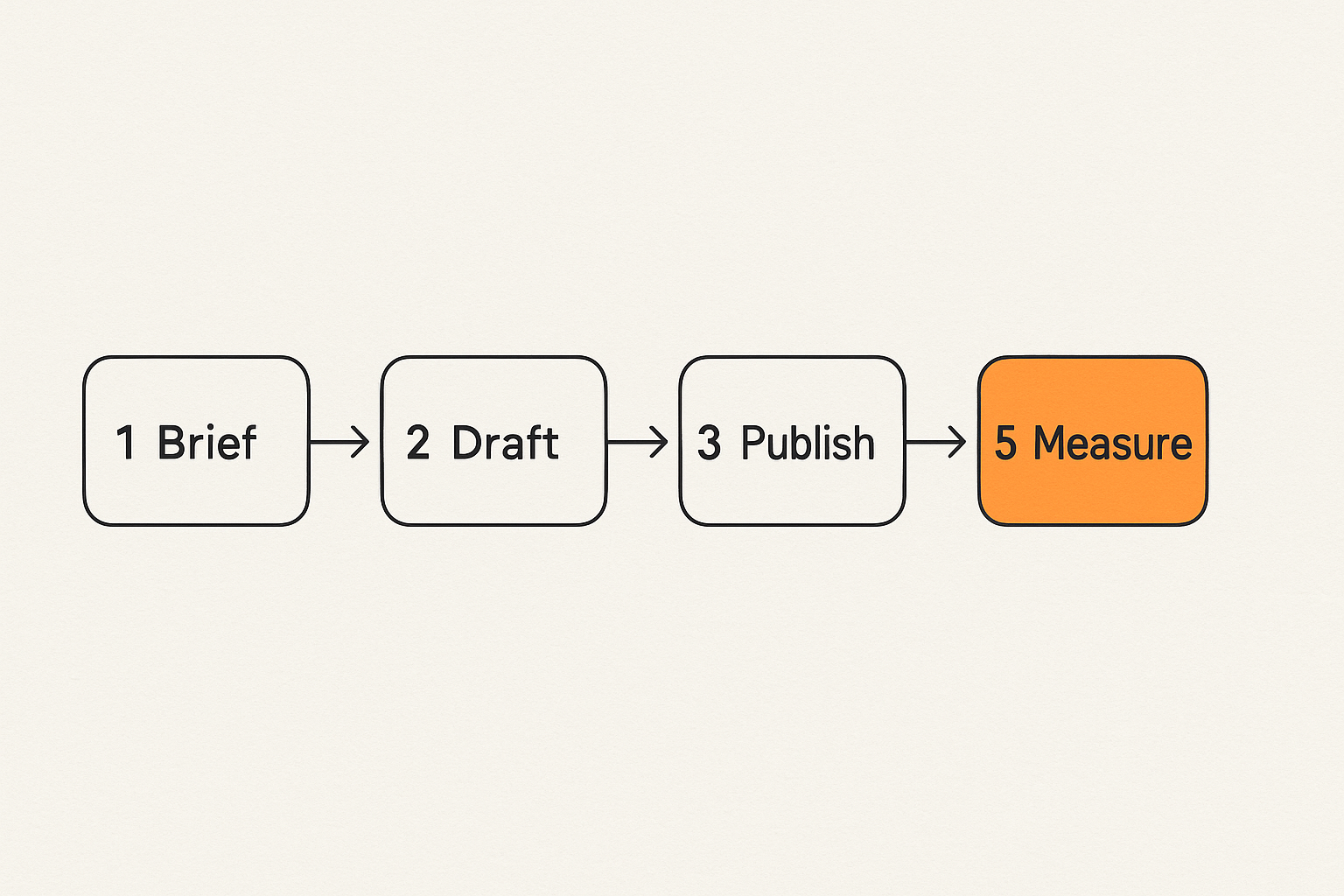
Inputs: topics, briefs, sources, and constraints
Before choosing a platform, map the inputs. Bad inputs produce expensive review cycles.
Minimum inputs should include:
- Primary topic or search intent
- Target reader and job-to-be-done
- Approved source list or research notes
- Internal products, offers, or positioning to include
- Claims that require human verification
- Required internal links and excluded claims
- Tone, reading level, and format
This is where most automation systems quietly fail. The brief is vague, the model fills gaps, the editor spends 45 minutes discovering what the article should have been, and everyone blames the AI.
Related reading from our network: teams evaluating workflow tooling face similar architecture questions in this practical guide to workflow automation software, especially around ownership, controls, and rollout fit.
State: draft, review, approved, scheduled, published
A workflow map needs state. If your team cannot answer where a post is right now, automation will make the confusion faster.
A simple state model is enough for many teams:
| State | Owner | Automation role | Human role |
|---|---|---|---|
| Briefed | Content lead | Validate required fields | Approve topic and angle |
| Drafted | AI system | Generate structured draft | Check if draft is worth reviewing |
| Reviewed | Editor or SME | Flag missing sections | Fix claims, voice, and risk |
| Approved | Publisher | Prepare CMS metadata | Confirm publish readiness |
| Scheduled | Ops or system | Queue publish time | Handle exceptions |
| Published | System | Push live and trigger distribution | Monitor response |
| Measured | Content owner | Collect metrics | Decide update, prune, or expand |
The state model does not need to be complex. It needs to be explicit.
Outputs: blog, newsletter, social, podcast notes
The same content job can produce multiple outputs, but only if the workflow defines them.
A long-form blog post might become:
- A newsletter version with a stronger opening and fewer subheads
- A LinkedIn post focused on one operator lesson
- A podcast outline or script notes
- A short excerpt for a homepage or landing page
- A follow-up brief for a comparison article
What breaks in practice is uncontrolled repurposing. Teams generate five assets from one draft, then nobody knows which claims were reviewed, which link was approved, or which version is canonical.
Treat derivative assets as children of the content job. They can inherit approved claims and links, but they still need destination-specific checks.
Separate generation from editorial control
What AI should do by default
AI is useful for repeatable, structured work. In a blog content automation system, it should handle tasks like:
- Expanding a brief into an outline
- Drafting sections from approved inputs
- Generating title and meta description options
- Creating summaries and excerpts
- Converting a blog post into a newsletter draft
- Suggesting internal link placements
- Checking for missing sections against a template
This work is valuable because it reduces blank-page time and gives editors something concrete to inspect.
But default does not mean unsupervised. AI output should be marked as generated, tied to the content job, and routed into the correct review lane.
What humans should still own
Humans should own judgment. That includes positioning, sensitive claims, final approvals, brand voice, expert nuance, and any statement that could create legal, commercial, or reputational risk.
For teams that want a deeper workflow model, the prior bl0ggers.com guide to human-in-the-loop AI publishing architecture goes further into review routing, approvals, and quality gates.
The point is not to make humans touch every sentence. That creates a bottleneck. The point is to put human attention where mistakes are expensive.
The review lanes that keep throughput sane
A single review queue does not scale. Different content jobs need different lanes.
| Content type | Automation level | Review lane | Reason |
|---|---|---|---|
| Evergreen how-to | High | Editor review | Low risk, repeatable structure |
| Product comparison | Medium | Editor plus product owner | Positioning and claims matter |
| Legal, finance, health | Low | Expert review | High consequence of error |
| Founder POV | Medium | Voice review | Authenticity matters |
| News reaction | Medium | Fast editorial review | Timeliness and source freshness |
| Newsletter recap | High | Light approval | Derived from approved material |
Practical rule: Do not route every article through the same review process. Match review depth to risk.
This is where automation becomes useful. It can route low-risk content quickly and escalate high-risk work before it becomes a public problem.
Design quality gates that catch expensive mistakes
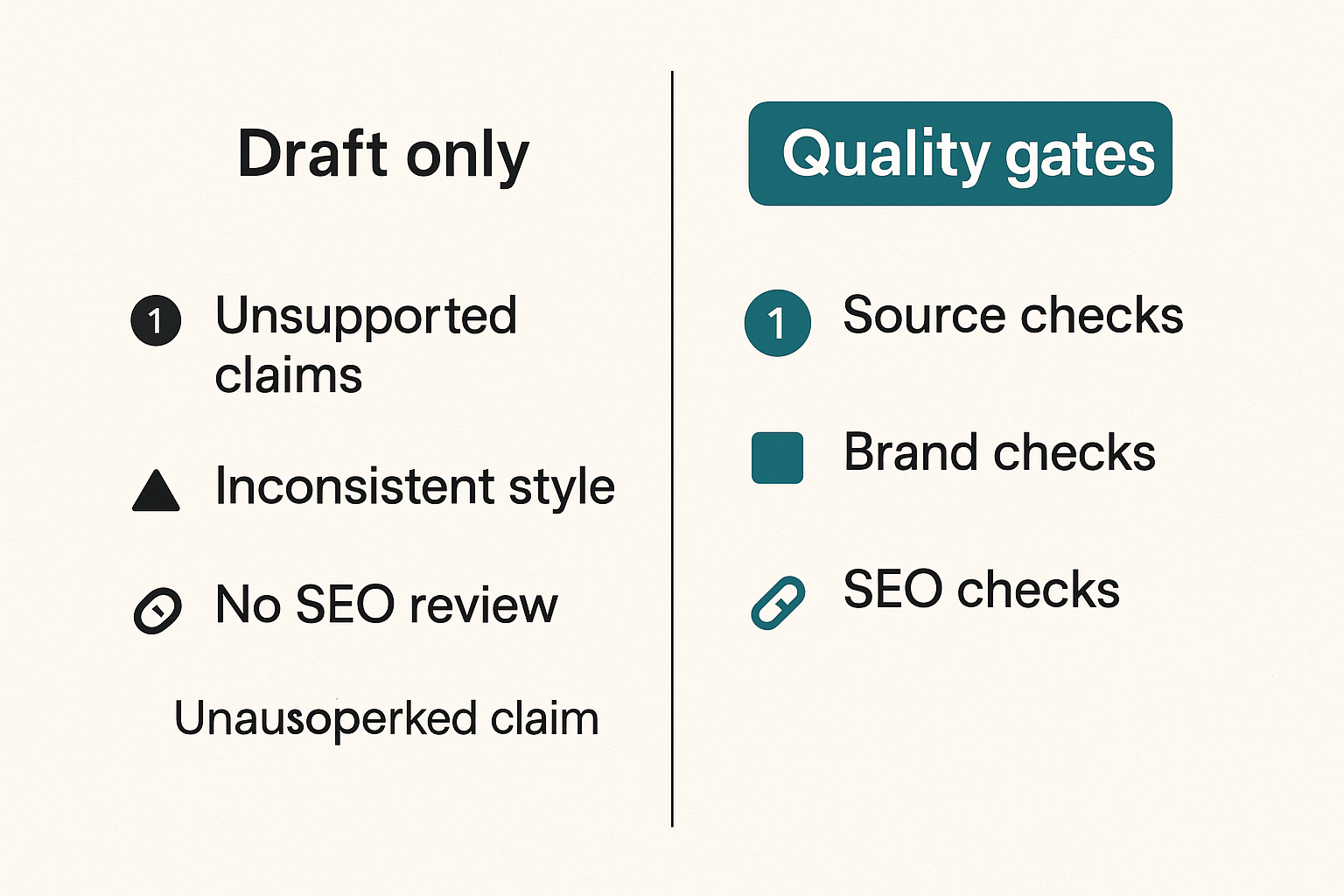
Source and claim checks
Quality gates are not vague editorial preferences. They are checks that must pass before the job moves forward.
Source and claim gates should answer:
- Are claims supported by provided sources?
- Are dates, numbers, product names, and URLs current?
- Are we making predictions without labeling them as judgment?
- Are we referencing competitors accurately?
- Are we citing internal knowledge that is actually approved for publication?
You do not need an academic citation process for every blog. You do need a way to prevent unsupported claims from drifting into published content.
Brand, persona, and style checks
Brand checks should be operational, not mystical. Instead of telling a model to sound more like us, define the signals reviewers can inspect.
Examples:
- Opening uses a concrete operator pain point
- Article avoids generic hype
- Claims are hedged when evidence is not supplied
- Persona is consistent with the target reader
- CTA is useful and not pasted into the wrong context
- Jargon is explained only when needed
The mistake teams make is putting taste into someone’s head instead of putting it into a checklist.
SEO checks without keyword stuffing
SEO quality gates should confirm usefulness and structure, not force awkward repetition.
For blog content automation, useful SEO checks include:
- Main topic appears naturally in title, intro, headings, and closing
- Search intent is addressed directly
- Related terms appear where they make sense
- Internal links are contextual
- Meta description is concise
- Article has enough depth to satisfy the reader’s task
- The page does not repeat the same point under different headings
Practical rule: If an SEO check makes the article worse for the reader, it is not a quality gate. It is a liability.
Automate publishing operations, not just drafts
Scheduling and CMS handoff
Draft generation gets attention because it is visible. Publishing operations decide whether the system works in production.
A real handoff needs:
- Destination site or subdomain
- Slug
- Category and tags
- Author or persona
- Featured image requirement
- Canonical URL rules
- Publish date and time
- Excerpt and metadata
- Distribution triggers
If these fields are handled manually every time, your automation stops at the least useful point: the draft.
For adjacent thinking, the prior bl0ggers.com article on automated blog posting platform architecture covers CMS handoff, approvals, integrations, and measurement as one system rather than separate tasks.
Webhooks, retries, and idempotency
Content teams do not usually talk about idempotency. They should.
If an automation retries a publish action after a timeout, it should not create duplicate posts. If a webhook fires twice, the newsletter should not send twice. If metadata updates fail, the workflow should show the failure instead of pretending the job is complete.
A simple event model might look like this:
- content.brief.created
- content.draft.generated
- content.review.requested
- content.approval.granted
- content.publish.scheduled
- content.publish.succeeded
- content.distribution.triggered
- content.metrics.synced
Every event should have a job ID, timestamp, owner, and destination. That is how you debug the system when something breaks.
Related reading from our network: media workflows in other niches run into the same state and device-handoff problems, which is why this architecture-minded piece on plug tech and home media workflows is an odd but useful reminder that the interface is never the whole system.
Versioning and rollback
Automation should make it easier to recover from mistakes, not harder.
At minimum, keep versions for:
- Original brief
- Generated draft
- Editor revision
- Approved version
- Published version
- Post-publication updates
Rollback does not always mean unpublishing. Sometimes it means reverting a title, removing a claim, changing a CTA, or updating a broken internal link. The workflow should make that possible without hunting through browser history.
What works in blog content automation
Start with repeatable content types
Blog content automation works best when the content type has a repeatable structure and clear review standard.
Good starting points include:
- How-to guides
- Glossary expansions with strong editorial review
- Product use-case articles
- Newsletter-to-blog repurposing
- Podcast transcript summaries
- Comparison frameworks
- Content refreshes
Bad starting points include sensitive thought leadership, controversial claims, breaking news without source controls, and anything where the main value is a unique human opinion.
Start where the system can learn the shape of the work.
Use templates as contracts
Templates are not just formatting helpers. They are contracts between the content lead, AI system, editor, and publisher.
A practical template should define:
- Required sections
- Optional sections
- Evidence requirements
- CTA rules
- Internal link rules
- Maximum claims without source support
- Review lane
- Distribution outputs
When a draft violates the template, it should be sent back automatically or flagged clearly for the editor.
Keep humans at the risky edges
The best systems do not ask humans to babysit every word. They put humans at risky edges:
- Topic approval
- Source approval
- Expert claim review
- Final publish approval
- Sensitive updates
- Performance interpretation
This is the difference between control and drag. Control gives the team confidence. Drag just slows everything down.
What fails when teams automate badly
Prompt sprawl
Prompt sprawl happens when every team member has a different magic prompt, a different tone rule, and a different idea of what good output looks like.
At first, it feels flexible. Then quality becomes impossible to diagnose. One article is strong because the prompt was good. Another is weak because the source input was thin. Another sounds wrong because the editor added undocumented style rules.
What fails is reproducibility.
Fix it by moving prompt behavior into managed templates, controlled briefs, and measurable review gates. Prompts still matter, but they should not be the only place where the operating model exists.
Approval bottlenecks
Approval bottlenecks happen when automation increases draft volume but review capacity stays the same.
Symptoms include:
- Drafts sitting untouched for days
- Editors skimming instead of reviewing
- High-priority posts lost behind low-risk content
- Stakeholders reviewing too late
- Publishing calendars shifting constantly
The answer is not to remove approval. The answer is to route approval intelligently. Low-risk work gets a light lane. High-risk work gets expert review. Stale drafts expire or return to backlog.
Related reading from our network: SOC teams see a similar failure mode when signals increase faster than ownership and triage capacity, as explained in this incident response workflow architecture piece.
Measurement without ownership
Many teams measure traffic but do not assign ownership. Reports get produced, dashboards get shared, and nothing changes.
For automation, measurement must feed the workflow. If a template produces low engagement, someone owns the decision to revise it. If a topic cluster performs, someone owns expansion. If an article creates support questions, someone owns the update.
Otherwise automation just produces more things to report on.
Metrics that tell you if automation is helping
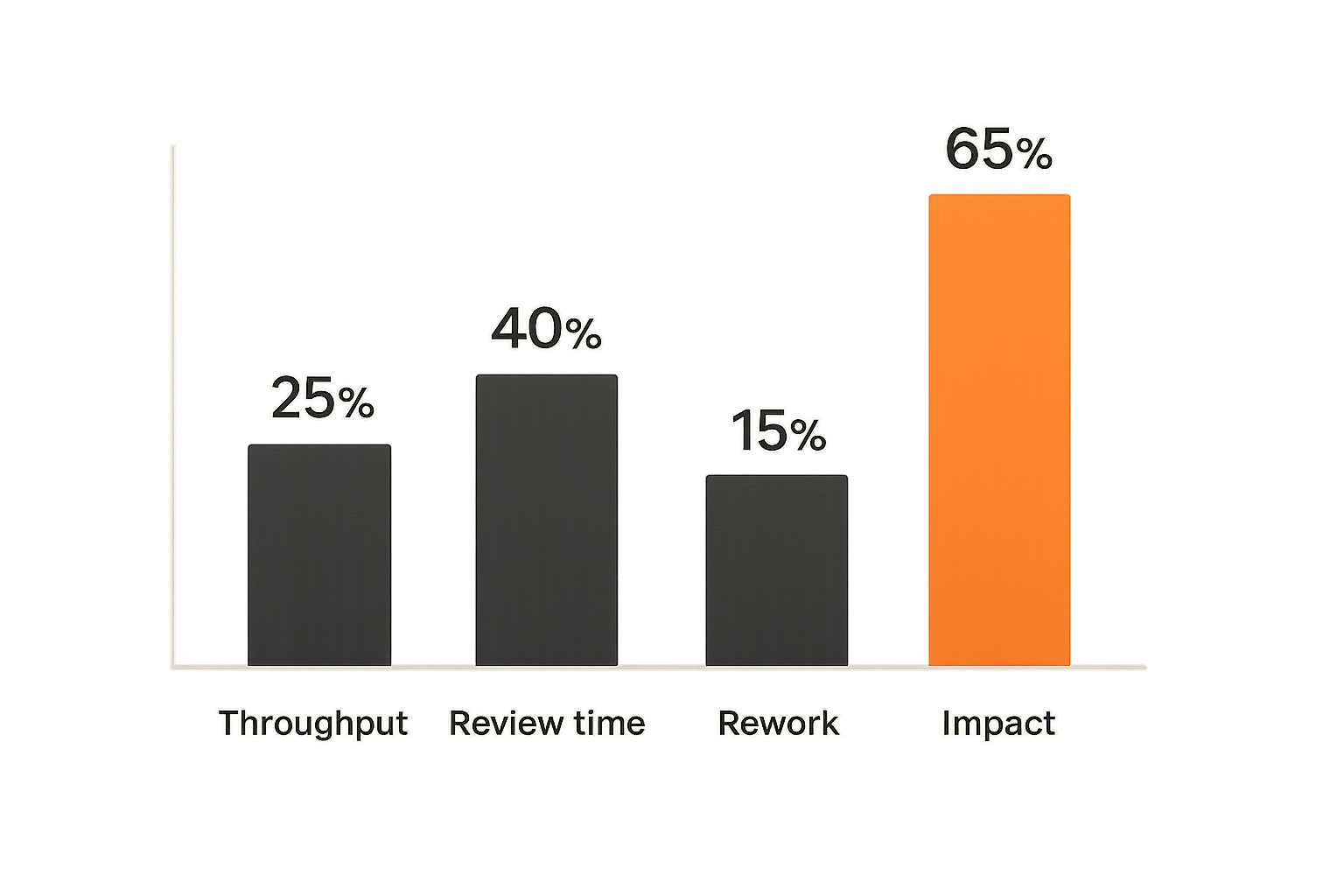
Throughput and cycle time
Start with operational metrics. They tell you whether the workflow is actually faster.
Track:
- Briefs created per week
- Drafts generated per week
- Draft-to-review time
- Review-to-approval time
- Approval-to-publish time
- Articles published per week
- Stale jobs by state
Cycle time matters more than raw draft count. A system that generates 100 drafts and publishes 6 useful articles is not better than a system that generates 20 drafts and publishes 15 strong ones.
Quality and rework
Quality can be measured operationally even when taste is subjective.
Track:
- Average editor changes per article
- Number of source corrections
- Number of brand voice corrections
- Number of SEO corrections
- Rejected drafts by reason
- Post-publication fixes
- Articles requiring expert escalation
The goal is not zero edits. Zero edits may mean weak review. The goal is predictable rework and fewer expensive surprises.
Distribution and business impact
Publishing is not the finish line. Distribution and business impact decide whether the system is useful.
Useful metrics include:
- Organic clicks and impressions
- Newsletter clicks
- Social engagement by repurposed asset
- Assisted conversions
- Demo or signup influence where applicable
- Returning visitors
- Topic cluster growth
- Update performance after refreshes
The practical question is: which automated content jobs create durable value, and which ones just fill the calendar?
Implementation sequence for a reliable content automation system
Step 1: define the content job
Start with the object the workflow will move.
A lightweight content job spec can include:
- Job ID
- Content type
- Target reader
- Search intent or editorial angle
- Approved sources
- Required claims or exclusions
- Review lane
- Destination channel
- Deadline
- Success metric
Do not start by automating every channel. Start by making one job type reliable from brief to publish.
Step 2: build review lanes
Once the job exists, define routing.
A practical first version:
- Content lead approves brief.
- AI generates outline.
- Editor approves or modifies outline.
- AI generates draft from approved outline.
- System checks template, metadata, and required fields.
- Editor reviews voice, usefulness, and structure.
- SME reviews only if the content type requires it.
- Publisher approves final version.
- System schedules and publishes.
- Metrics sync back to the job.
This gives the team control points without turning every article into a committee process.
Step 3: connect publishing and measurement
The final step is closing the loop.
Every published article should connect back to its content job, template, review lane, and distribution outputs. When results come in, you can answer questions that matter:
- Which templates produce the least rework?
- Which authors or personas perform best by topic?
- Which review lanes are too slow?
- Which article types drive newsletter growth?
- Which posts should be refreshed instead of replaced?
That is the point where blog content automation becomes an operating system, not a content gimmick.
Where bl0ggers.com fits
When a human-in-the-loop platform is the right shape
A human-in-the-loop AI publishing platform makes sense when your team wants scale but still needs editorial control.
It is especially useful when you have:
- Multiple blogs, newsletters, or creator personas
- Recurring topic workflows
- Editors who need review queues instead of raw AI outputs
- Approval requirements before publishing
- Subdomain or multi-site publishing needs
- Webhook-based automation into existing systems
- A need to repurpose research into several formats
The product fit is not AI writes our blog. That is too shallow. The fit is AI moves structured publishing work through controlled review lanes until it is ready to publish.
How to evaluate product fit
Evaluate any blog content automation platform by the workflow it supports.
Ask:
- Can it separate draft generation from approval?
- Can different content types use different review lanes?
- Can it support personas without losing brand governance?
- Can it publish to the destinations you actually use?
- Can it trigger downstream workflows with webhooks?
- Can your editors see what needs attention now?
- Can you measure cycle time, rework, and published output?
If the answer is mostly no, you are buying a drafting tool and building the real publishing system yourself.
bl0ggers.com is built for content teams, creators, and publishers who want to use AI to increase output without giving up editorial control. The useful pattern is controlled generation, review queues, persona-led publishing, distribution support, and measurement that ties back to the workflow.
The closing point is simple: blog content automation should make your publishing operation more dependable, not just louder.
Try bl0ggers.com
bl0ggers.com helps content teams, creators, and publishers use AI to increase output without giving up editorial control. Try bl0ggers.com.